BUILT BY KALTECH / EXPLORE THE PRODUCTA community website that works beyond the homepage.
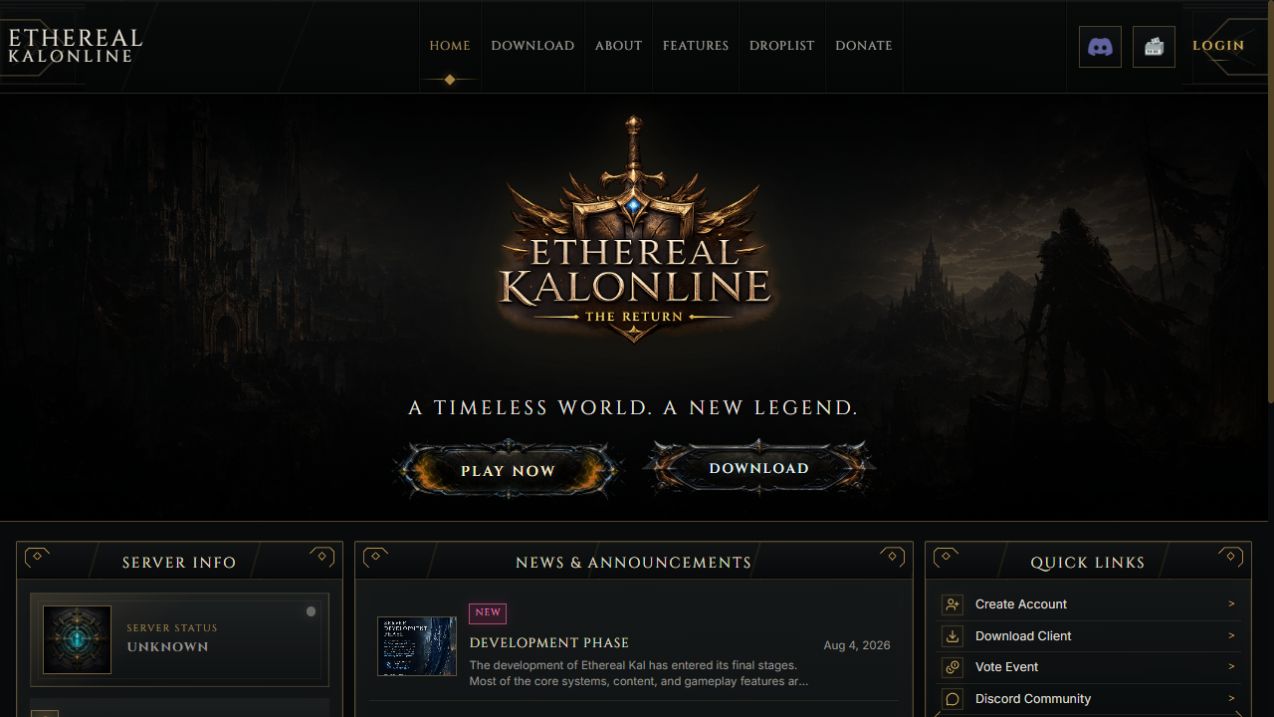
The KalOnline website pairs its visual identity with a substantial player portal and a dedicated administration workspace. It brings account services, character information and server operations into the website.
01A player panel built around the character
Players can review character vitals, progression, inventory and equipped items through their account. It is a useful part of the game community, rather than a login screen attached to a template.
- Character overview: HP, MP, rage, money and progression statistics
- Interactive inventory and equipped-item views
- Honor, rewards, contribution, EXP and reborn information
02Everyday account services
The reviewed backend includes password and email management, unstuck tools, rage reset and guild-time reset flows. Actions have server-side conditions, including offline requirements where applicable.
- Account password and email management
- Character unstuck and reset tools
- Coin-order history and configured payment flows
03An administration panel for real server operations
Staff tools cover character lookup and administration, account blocking, item operations and server-community management. Available actions and permissions depend on the configured server schema.
- Character lookup, name changes and account transfers
- Inventory amount, binding, item properties and transfer controls
- Targeted item insertion, blocklist and unblock tools
- Guild creation, castle ownership and action logs
04Manage the website without editing every page
Dedicated controls let staff maintain the public site and player-facing information. The reviewed project includes news, media, features, downloads, site settings and scheduled Powerbook content.
- News and content management
- Media, features and download settings
- Site configuration and Powerbook scheduling
05Built to connect to your server setup
The reviewed implementation uses Python, a SQL Server connection and a dedicated web interface. We confirm the database schema, enabled modules and deployment requirements before setup.
- Python-based backend
- Microsoft SQL Server integration via ODBC
- Server-specific module and schema review
A FEW USEFUL ANSWERSBefore you order.
Is this only a visual website template?
No. The €349 offering includes the KalOnline website and its custom userpanel. The reviewed backend includes player tools and an administration workspace as described here.
Will every admin tool be enabled on my server?
The available tools depend on your game database schema, permissions and enabled modules. Staff confirm those details for your installation.
Does the purchase include unrelated custom work?
Additional changes are quoted separately. Use the order notes to list your version, hosting environment and requested changes.